The One Profile Setting That Stops Your Business From Showing Up in Nearby Map Searches
The One Profile Setting That Stops Your Business From Showing Up in Nearby Map Searches
You’ve done everything “by the book.” You claimed your Google Business Profile (GBP), you uploaded high-resolution photos of your team, you’ve systematically collected five-star reviews, and you’ve meticulously filled out every attribute from “wheelchair accessible” to “locally owned.” Yet, when you stand in your own parking lot – or even a block away – and search for your primary service on Google Maps, your business is nowhere to be found. You are being “ghosted” by the very platform designed to bring you customers.
This phenomenon is one of the most frustrating experiences for small business owners and SEO professionals alike. You are verified, but you are invisible. In the world of local search, visibility isn’t just about being “on the map”; it’s about appearing in the coveted “Map Pack” – the top three results that capture the lion’s share of mobile clicks. According to official Google Support documentation, local results are primarily based on three pillars: relevance, distance, and popularity. However, there is a hidden friction point in the infrastructure of your profile that can override all three of these factors, effectively suppressing your visibility in “nearby” searches.
This isn’t a matter of simple keyword stuffing or lacking enough reviews. It’s a technical configuration issue that signals to Google’s algorithm that your business isn’t “physically” relevant to the immediate searcher, even if you are standing right next to them. If you feel like your competitors are winning despite having worse reviews and a messier website, you are likely losing the proximity battle. To understand how to reclaim your territory, you must first understand Why Your Business is Losing to Proximity: 3 Ways to Expand Your Local Reach.
The “One Setting” Revealed: Address Suppression & Service Areas
The single most destructive setting for local visibility in 2026 is the Service Area Business (SAB) toggle – specifically, the decision to hide your physical address. For many home-based contractors, plumbers, or consultants, hiding the address feels like a privacy necessity. Google allows this; in fact, the Facebook GMB Support group frequently highlights that “Service area businesses are allowed to hide their address… but you still need to verify.” However, there is a massive “visibility tax” associated with this choice.
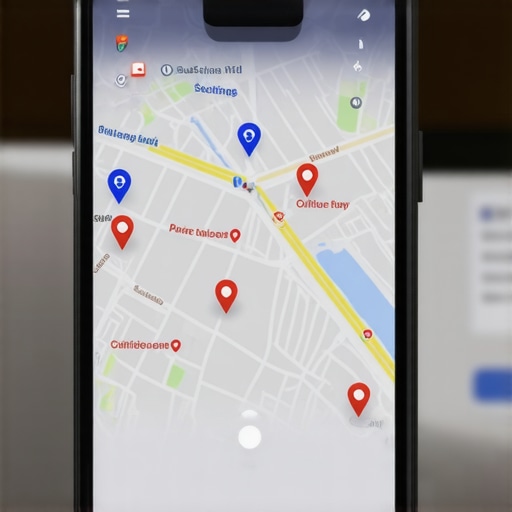
When you hide your address, you are telling Google that you do not serve customers at your location. In response, Google removes your “Red Pin” from the map. While your business may still appear in a broad list of search results for a city-wide query, you lose the “Nearby” signal. The algorithm struggles to calculate the “Distance” pillar of its ranking factors when there is no fixed point of origin to measure from. This leads to a lack of a map pin, which is a death knell for Click-Through Rate (CTR). Searchers instinctively look for the closest pin to their current location. If you don’t have one, you don’t exist in their immediate mental model of “convenience.”
For those looking to dominate their local market, google business profile optimization requires a strategic balance between privacy and proximity. If you are a service-based business, the “Service Area” setting should be used to define your reach, but if you have any way to legally display a physical address – such as a shared office space with a dedicated suite or a physical storefront – you should do so. A hidden address forces Google to rely entirely on “Relevance” and “Prominence,” making it much harder to outrank a competitor who has a physical pin, even if that competitor is further away from the searcher than you are.
The conflict between a “Storefront” profile (address shown) and an “SAB” profile (address hidden) is the root cause of the “nearby” search disappearance. When the address is suppressed, Google’s “Nearby” filter often excludes the business because the system cannot verify the user’s proximity to a ghosted location. To fix this, you must ensure that your Service Area is not set to a 50-mile radius that dilutes your local signal, but rather focused precisely where you want to win.
Why the “Open Now” Filter and Business Hours Matter in 2026
As we move into 2026, the real-time nature of Google Maps has become more aggressive. One of the most significant shifts in user behavior is the reliance on the “Open Now” filter. If a customer is looking for an emergency plumber or a late-night pharmacy, they aren’t looking for the “best” business; they are looking for the “best available” business. If your business hours are set incorrectly, or if you haven’t updated your holiday hours, you are effectively turning off your lead generation faucet.
The “Open Now” filter is a binary switch. If your profile says you are closed, you are 100% invisible to anyone using that filter, regardless of how strong your local seo tools are. Many businesses set their hours to “24 hours” to try and game the system, but Google’s AI now cross-references these hours with pedestrian traffic data and historical search patterns. If Google detects that no one ever visits or calls your business at 3:00 AM, but you claim to be open, it can flag your profile for “untrustworthy data,” which suppresses your ranking across the board.
Incorrect operational settings are a silent killer. You might think being “closed” on a Tuesday afternoon for a staff meeting is a small detail, but if you don’t update that on your GBP, and a user tries to visit or call through the app and fails, they may report the business as “Temporarily Closed” or “Incorrect Info.” These user-generated edits are weighted heavily in 2026. For a deeper look at this, read Why the Open Now Filter Is Quietly Killing Your Maps Ranking.
Technical Deep Dive: Proximity, Relevance, and Prominence
To truly master Google Maps, you have to stop thinking like a marketer and start thinking like an infrastructure engineer. As local SEO expert Rashid Rehman often notes, “Local SEO isn’t marketing; it’s infrastructure.” In 2026, the Google Maps algorithm has evolved to prioritize “Real-Time Signal Density.” This means Google isn’t just looking at your keywords; it’s looking at the movement of mobile devices around your physical location.
The algorithm is built on three core pillars:
- Proximity: How close is the searcher to your verified business location?
- Relevance: Does your business category and content match the search intent?
- Prominence: How well-known is your business in the offline and online world?
The “One Setting” (hiding your address) breaks the Proximity pillar. When Proximity is broken, you have to over-perform by 300% in Relevance and Prominence just to stay competitive. In 2026, Google has introduced “AI-Scan Tests” for storefronts. Using Street View data and user-submitted photos, Google’s AI confirms that your business signage actually exists. If you are an SAB with a hidden address, you bypass this “Physical Verification,” but you also lose the “Trust Score” associated with it.
Furthermore, “Entity Proofing” has become the standard for high-level google maps ranking service. This involves connecting your GBP to other authoritative entities like your local Chamber of Commerce, niche-specific directories, and even local government mentions. If your infrastructure is weak – meaning your NAP (Name, Address, Phone) data is inconsistent across the web – Google will lack the confidence to show you in “nearby” searches because it cannot verify your exact coordinate “Entity.” To learn how to shore up these signals, check out 7 Entity Proofing Fixes for Your 2026 Maps Ranking [Tested].
The 2026 Fix: Step-by-Step Optimization
If you have realized that your profile settings are holding you back, follow this roadmap to restore your visibility. This is the exact process we use to rank google business profile assets for high-competition keywords.
1. Audit Your “Located In” Tags
Many businesses are located inside office buildings or shopping centers. In the “Info” tab, ensure you have used the “Located In” feature. This helps Google’s “Infrastructure” logic understand exactly where your pin should sit in relation to other landmarks. This is a massive boost for proximity searches within dense urban environments.
2. Rationalize Your Service Area Radiuses
A common mistake is selecting “United States” or an entire state as your service area. This dilutes your local signals. Instead, select specific zip codes or cities within a 20-30 mile radius of your actual base of operations. Google rewards specificity. If you try to be everywhere, you will end up being nowhere.
3. Address Formatting and NAP Consistency
Ensure your address on your website, your GBP, and your social media profiles is identical down to the punctuation. “Suite 100” vs “#100” can, in some cases, create enough friction for the algorithm to doubt the entity’s precision. For more on this, see The Address Formatting Mistake That Keeps You Out of the Map Pack.
4. Focus on Real-Time Signals
Encourage customers to check in at your location or upload photos directly to your profile while they are physically at your place of business. These GPS-tagged photos are the ultimate proof of proximity for Google’s 2026 algorithm.
Auditing and Tracking for Success
Once you have adjusted your settings, you cannot simply “set it and forget it.” The local landscape is dynamic; competitors are constantly optimizing, and Google’s proximity filters shift based on user density. You need to use a SEO Viper Tools suite to monitor your “Nearby” radius. A standard rank tracker that checks from a single zip code isn’t enough. You need “Grid Tracking” to see how your ranking changes as you move block-by-block away from your office.
If your ranking drops off a cliff the moment you move 2 miles away, your “One Setting” might still be causing issues, or your Prominence signals are too weak to sustain a larger “ranking bubble.” Monitoring your Google Business Profile insights for “Discovery” vs. “Direct” searches will tell you if the fix worked. A “Discovery” search means someone found you by searching for a category (e.g., “Plumber near me”), which is the ultimate goal of local SEO.
By treating your Google Business Profile as a piece of digital infrastructure rather than a static advertisement, you can navigate the complexities of the 2026 algorithm. Stop ghosting your own business. Fix your service area settings, verify your physical entity, and ensure your operational signals are accurate. This is how you reclaim your spot at the top of the Map Pack.