
5 Profile Fixes That Actually Turn Map Pings Into Paying Customers
5 Profile Fixes That Actually Turn Map Pings Into Paying Customers
In the world of local search, there is a painful gap that many business owners fall into: the “Traffic vs. Conversion” gap. You check your Google Business Profile (GBP) insights and see hundreds, perhaps thousands, of “pings” – map views, discovery searches, and impressions. Yet, your phone isn’t ringing. Your inbox is empty. You are visible, but you aren’t being chosen.
Moving from “visible” to “chosen” is the hallmark of a sophisticated google business profile seo strategy. According to recent conversion case studies across various local niches, systematic optimization doesn’t just improve your rank; it can drive a 15% to 120% lift in actual leads. As we look toward the algorithm shifts of 2026, the businesses that win won’t just be the ones with the most citations, but those that master “Signal Density” and “Interaction Fixes.” Optimization isn’t a one-time setup; it’s a continuous alignment of what Google sees and what the customer trusts. Here are five non-negotiable fixes to turn those map pings into paying customers.
Fix #1: The Category & Service Alignment (Relevance Overhaul)
The most common reason a business fails to rank higher on google maps is a fundamental “Category Mistake.” Google’s primary goal is to provide the most relevant answer to a user’s query. If your primary category is slightly off, you aren’t just losing rank – you’re showing up for the wrong people.
Data shows that a single, strategic change to your primary category can double map views in as little as 48 hours. Many contractors make the mistake of choosing a broad category when a specific one is available. For example, a roofing company might simply select “Roofing Contractor,” but if 70% of their high-margin leads come from gutter work, they are missing out on specific “Gutter Service” relevance signals.
How to Perform a Category Audit
- Analyze Primary vs. Secondary: Your primary category carries about 75% of the ranking weight. It must represent your core business.
- Granular Secondary Categories: Use secondary categories to capture “long-tail” local searches. If you are a plumber, don’t just stop at “Plumber.” Add “Drain Cleaning Service,” “Water Heater Repair,” and “Septic Tank Service.”
- Avoid Category Stuffing: Adding irrelevant categories to “cast a wider net” actually dilutes your authority. If you don’t do landscaping, don’t add it just because you occasionally mow a client’s lawn.
For a deeper dive into the technical nuances of profile setup, check out The 2026 Google Business Profile Checklist: What Actually Moves the Needle Now. Aligning your services with your categories ensures that when Google’s AI crawls your profile, the relevance signal is deafeningly clear.
Fix #2: Visual Conversion Assets (The “7 Picture” Rule)
Most business owners treat their GBP photos like a graveyard for blurry smartphone shots or, worse, generic stock imagery. This is a massive mistake. Using google maps ranking service insights, we know that generic stock photos are “conversion killers.” Customers can smell a stock photo from a mile away, and it immediately erodes the trust required to make a phone call.
To truly rank google business profile listings effectively, you need to follow the “7 Picture Rule.” This isn’t just about quantity; it’s about the types of visual data you are feeding both the user and Google’s Vision AI.
The 7 Essential Photo Types
- The Exterior: Help customers find you. A clear shot of your storefront with signage.
- The Interior: Show the atmosphere. For service businesses, this could be your office or warehouse.
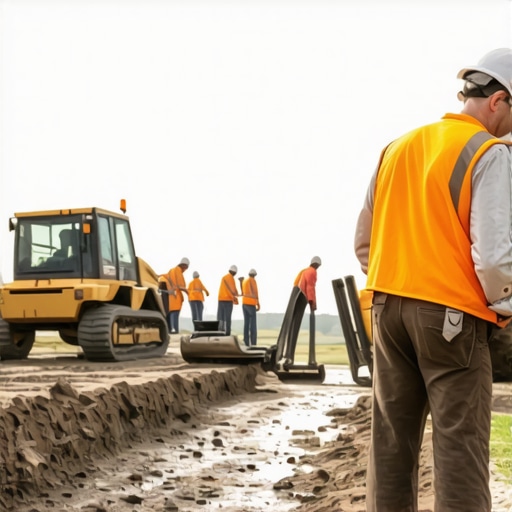
- Team at Work: Photos of your staff in uniform, performing a service. This humanizes the brand.
- The Equipment: High-quality shots of your trucks, tools, or specialized machinery.
- Happy Customers: Candid (with permission) shots of satisfied clients.
- The Result: Before-and-after photos are gold for contractors, roofers, and HVAC specialists.
- The Owner: A professional headshot of the business owner to build personal accountability.
Google’s Vision AI analyzes these images to understand what your business actually does. If you upload a photo of a water heater you just installed, Google “sees” that water heater and associates your profile with that service. For more on why your current gallery might be hurting you, read Why Generic Stock Photos Are Quietly Tanking Your Map Visibility.
Fix #3: The Interaction Loop (Review Response & Q&A)
Conversion happens in the “Social Proof” layer. However, many businesses stop at just asking for reviews. To truly master google business profile optimization, you must close the interaction loop. This means responding to every single review – positive or negative – and proactively managing the Q&A section.
There is a fascinating psychological phenomenon: “Why Flawless 5-Star Reviews Are Actually Scaring Away Your Customers.” Modern consumers are skeptical of perfection. They look for authenticity. A profile with a 4.8 rating and thoughtful, professional responses to the occasional 3-star review often converts better than a “perfect” 5.0 profile with no engagement.
Technical Interaction Tips
- Keyword-Rich Responses: When responding to a review, naturally weave in your service and location. “Thank you, John! We were happy to provide the best roofing repair in Dallas for you.”
- The Q&A Seed: You are allowed to ask and answer your own questions. Use this to address common hurdles (e.g., “Do you offer emergency 24/7 plumbing?”) and seed keywords that help you rank higher on google maps.
- Response Speed: Google tracks how quickly you engage. Aim for a response within 24 hours to signal that your business is active and customer-centric.
Handling negativity is just as important as celebrating wins. If you’ve ever been tempted to hit the delete button on a critic, you should first read Why Deleting Negative Reviews Often Backfires and What to Do Instead. Authenticity wins the conversion game every time.
Fix #4: Activating the “Product” and “Service” Menus
One of the most underutilized local seo tools within the GBP dashboard is the “Products” tab. Most service-based businesses (plumbers, HVAC, lawyers) leave this empty because they think, “I don’t sell physical products.” This is a tactical error that costs you clicks.
You should use the Products tab to showcase “Service Packages.” This creates a highly visual, clickable menu that appears prominently on mobile devices. While your competitors just have a text list of services, you can have a visual gallery of “Emergency Pipe Repair,” “Standard AC Tune-up,” or “Residential Roof Inspection.”
Why the Products Tab Steals Clicks
The Products tab takes up significant “real estate” on the mobile search result page. It allows you to include a photo, a description, and – most importantly – a Call to Action (CTA) button like “Learn More” or “Get a Quote.” By utilizing this, you are effectively creating a mini-landing page directly within Google Maps.
To see how this looks in practice and how it can disrupt your local market, check out The Sneaky Way Competitors Are Using ‘Products’ to Steal Your Map Pack Clicks. Tracking the impact of these changes is essential; using local seo tools like SEO Viper can help you monitor how adding product “service packages” correlates with an increase in click-through rates (CTR).
Fix #5: Hyperlocal Signal Synergy (The Website-GBP Connection)
Your Google Business Profile does not exist in a vacuum. Google uses your website to verify the “truth” of your GBP. If your profile says you serve a specific city, but your website doesn’t have a dedicated page for that city, there is a “signal mismatch.” To achieve google maps lead generation, your website and GBP must work in synergy.
While it’s true that email traffic often converts at higher rates in the B2B world, for local services, the “Map-to-Website” path is the primary driver of high-intent leads. If a user clicks from your map listing to your website, they should land on a page that reinforces exactly what they saw on the map.
Technical Signals to Implement
- Local Business Schema: This is a piece of code that tells Google’s robots exactly where you are, what you do, and how you are connected to your GBP. For the exact code snippets we use, see The Specific Schema Lines That Finally Linked Our Store to the Map Pack.
- City Landing Pages: If you serve multiple suburbs, create a page for each. Don’t just list the names; include local landmarks, local news, and embedded maps.
- NAP Consistency: Your Name, Address, and Phone number must be identical across your website footer, your contact page, and your GBP. Even a small discrepancy (like “St.” vs “Street”) can create friction in the ranking algorithm.
By strengthening these hyperlocal signals, you increase the “trust score” Google assigns to your business, making it much more likely that you will appear in the coveted “Map Pack” for high-intent searches.
Conclusion: From Visibility to Local Dominance
Ranking is only the first half of the battle. If you want to turn map pings into paying customers, you must bridge the gap between being found and being trusted. By auditing your categories, overhauling your visual assets, closing the interaction loop, maximizing the products tab, and syncing your website signals, you transform your profile into a conversion machine.
Don’t let your competitors steal the leads that should be yours. Start by auditing your profile today or use a professional google business profile seo audit tool to find the hidden errors that are holding you back. For more expert insights, explore our guide on how to Unlock Map Pack Success: Expert Tips to Boost Your Google Maps Rankings.